


Overview
We've rolled out major upgrades to the Chat System in PromptForm - including a new message layout, smarter scrolling, and file upload support. To ensure everything works as expected, especially for QuickChat, you'll need to configure your profile and chat defaults properly.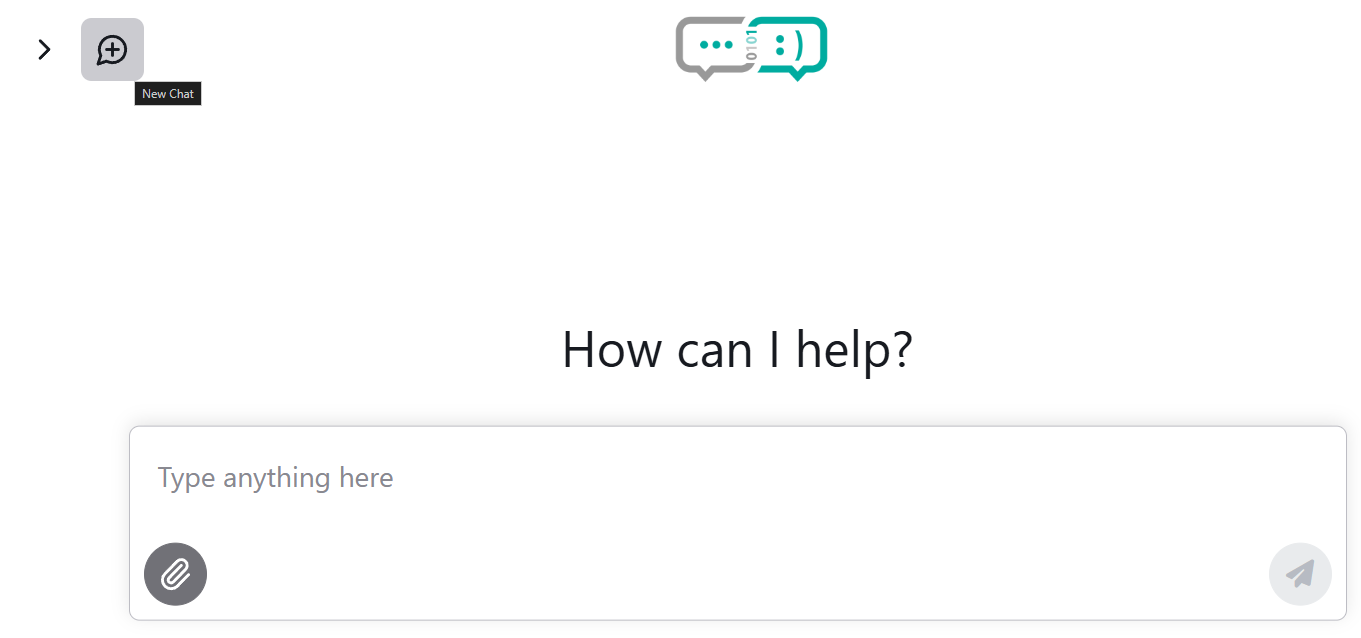
What’s New
Centered layout for new chats until a message is submitted
Auto-scrolling behavior that adjusts as users scroll manually
Input field now expands vertically (up to 7 lines)
Easily upload files by clicking or dragging into the chat input
Resume old chats directly from your chat history
Important Setup for QuickChat
For QuickChat to work correctly, you must populate your Memory Fields. Here’s how:
Go to your Profile page (
/profile)Ensure every memory field has a value (these are used to personalize responses)
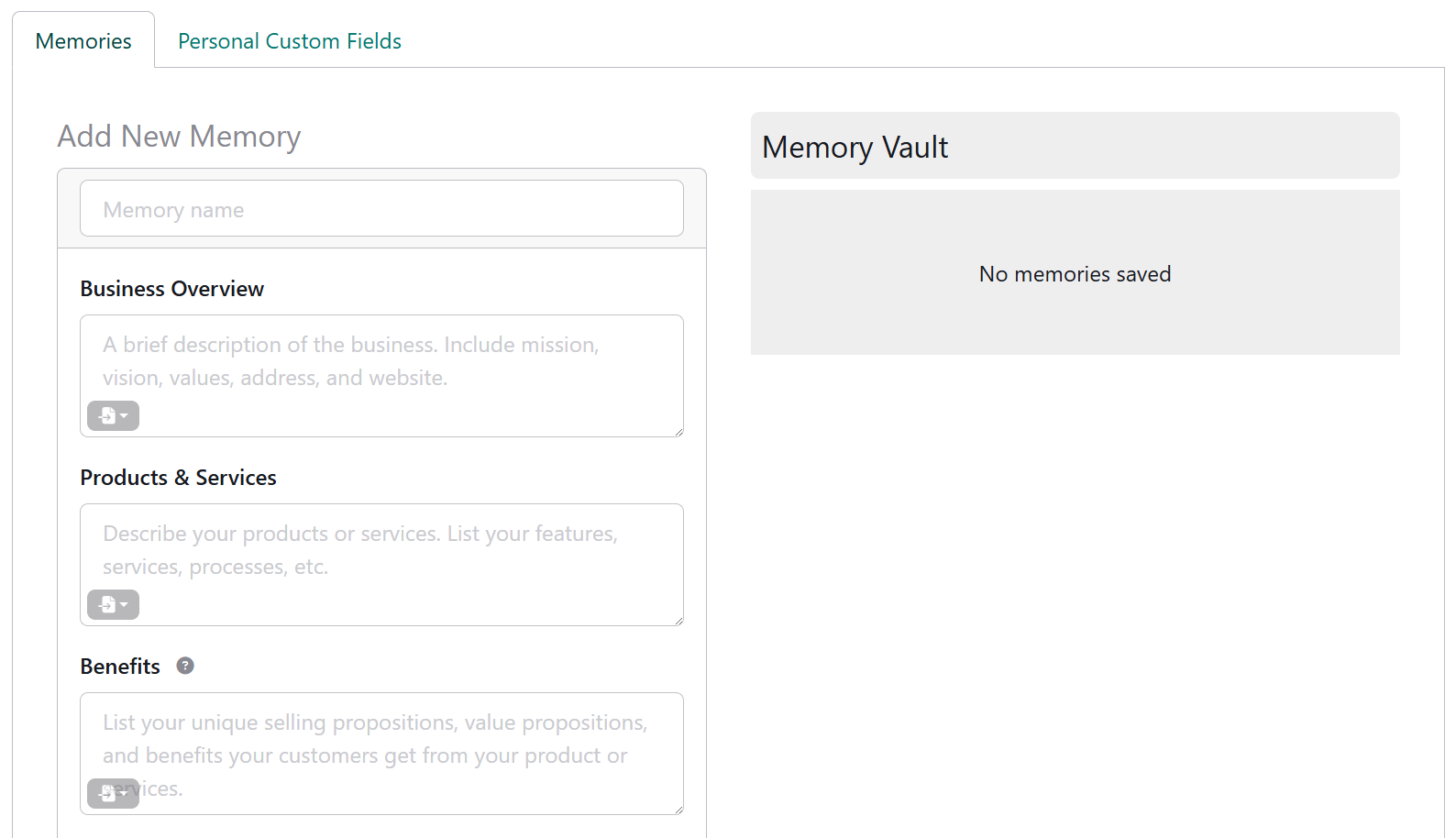
Additionally, to control which bot is used for new chats in your own websites:
Go to
/websites > Edit Properties > AdvancedUnder Default Bot for Chat, select the desired bot
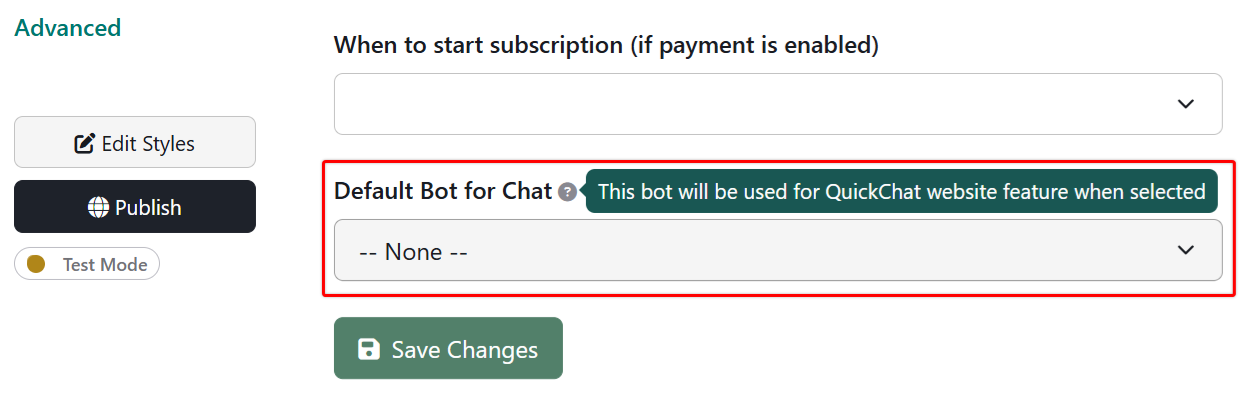
The QuickChat (New Chat) button in the sidebar will now launch a session with this bot
Benefits
This update streamlines conversations, reduces friction, and improves personalization when interacting with bots. Returning users can also resume past chats with no loss of context.