


Overview
We’ve simplified the navigation structure by assigning the right side of the Navbar for top-level menu items and dedicating the Sidebar for left-side navigation.
What’s Changed
Navbar custom menus now only appear on the right
Styling of Navbar buttons updated to match Sidebar buttons
Left-side custom menus are now controlled via the Sidebar settings
On tablets, Sidebar toggles via the Navbar for space efficiency
How to Manage Navigation
Edit top-right Navbar links at
/websites > Edit Properties > Menus > Navbar RightManage Sidebar links separately at
/websites > Edit Properties > Menus > Sidebar Menu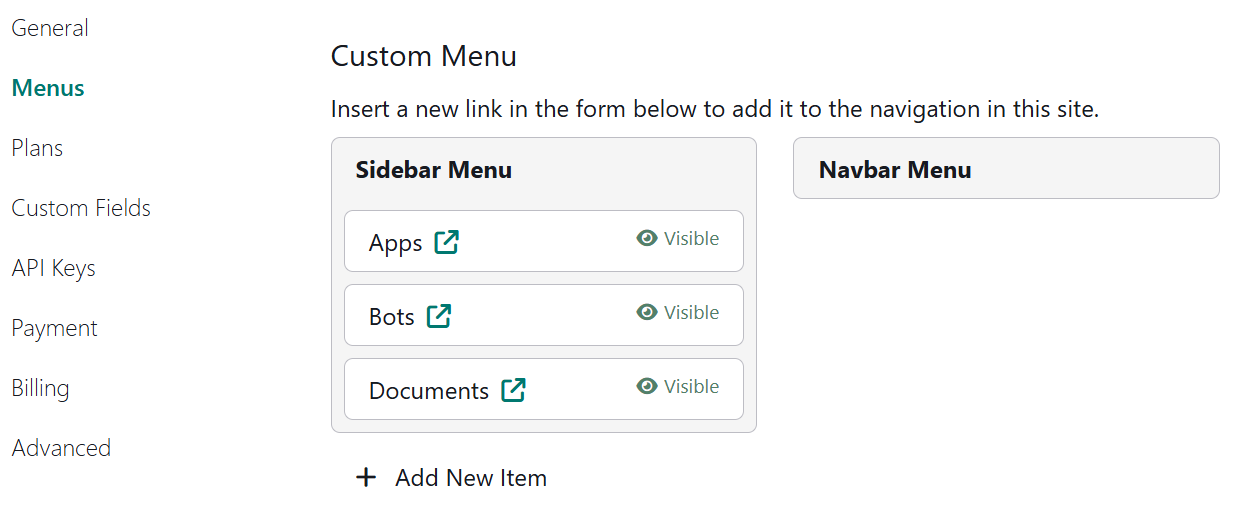
Benefits
This reorganization reduces visual clutter and improves the user flow, while keeping navigation consistent across screen sizes and layouts.