


As a Partner, you control what your users see in the Template Gallery. This feature lets you provide starter apps and bots that users can import into their accounts, helping them get up and running quickly while keeping your originals safe for ongoing updates.
Where Users See the Template Gallery
Home page: as a card.
Apps page: as a button near the top.
Bots page: as a button near the top.
Only users with the right template permissions will see these entry points. Permissions can be assigned through a plan or directly in a user’s profile.
Adding Templates
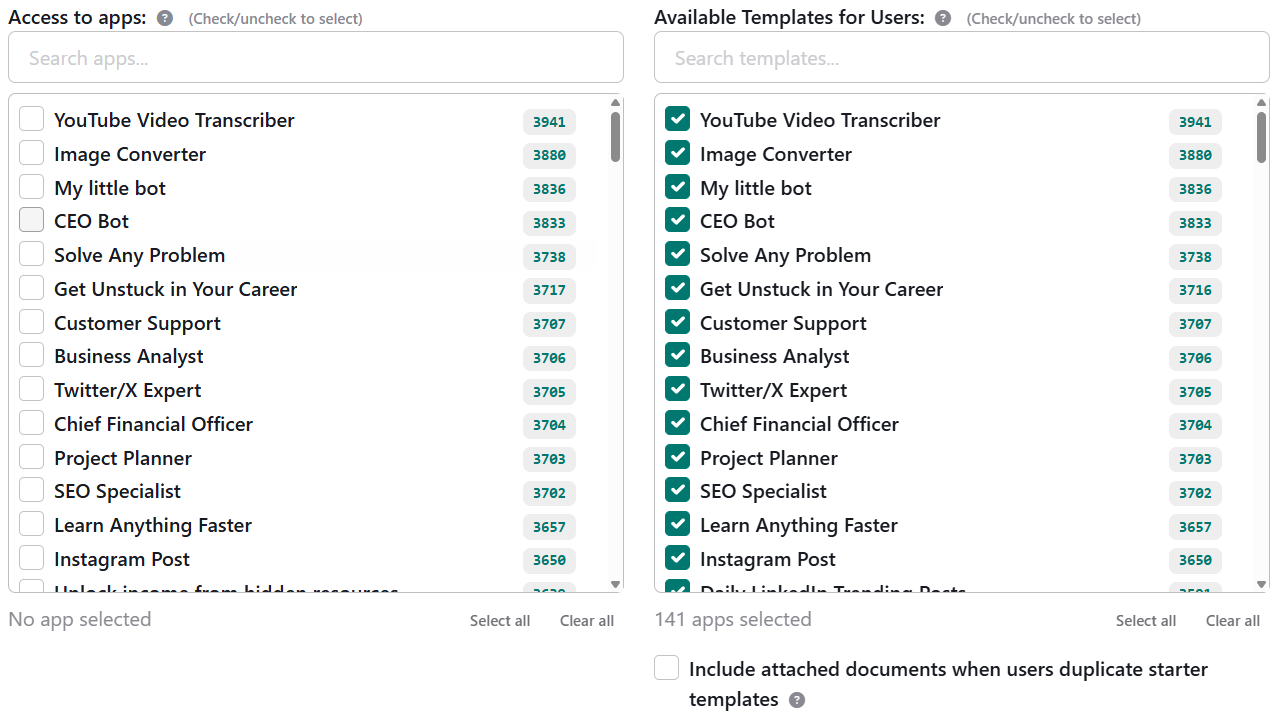
You decide which of your apps or bots become available as templates:
Go to the Permissions edit page.
Choose the apps or bots you want to make available.
(Optional) Enable the document import option. This duplicates any connected documents into the user’s account under Knowledge Center > Documents.
Highlighting Featured Templates
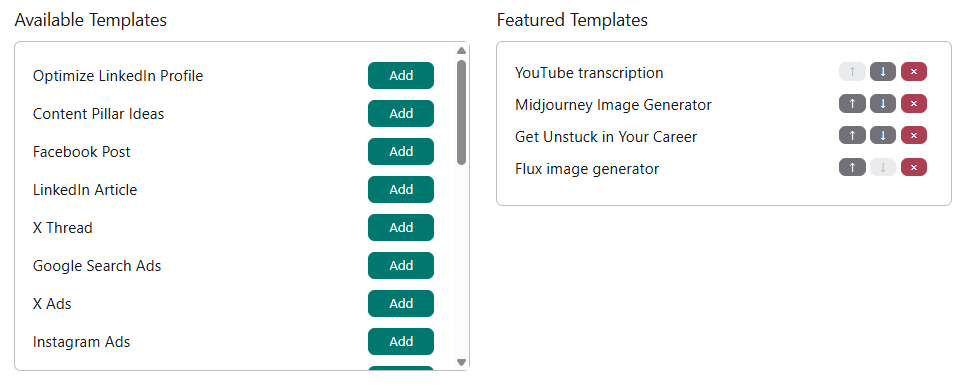
To showcase specific templates at the top of the gallery:
Go to Website Properties > Advanced section.
Add the apps/bots you’ve made available as templates to the Featured Templates list.
Arrange their display order from the same section.
Featured Templates appear first in the gallery, followed by all other templates organized by category (categories display in alphabetical order).
How Importing Works for Users
When a user imports a template:
A duplicate of your chosen app or bot is created in their account.
Any linked documents (if enabled) are also duplicated into their Knowledge Center.
The imported version is independent, so users can customize it without affecting your original.
Best Practices for Partners
Curate wisely: provide templates that are polished and representative of how you want users to work with your apps/bots.
Use Featured Templates strategically: highlight your most important or beginner-friendly options.
Decide on document sharing: consider whether linked documents are essential for users to get full value from the template.
✅ With the Template Gallery, you set the stage. Your users get a head start, and you stay in full control of what’s available and how it’s presented.