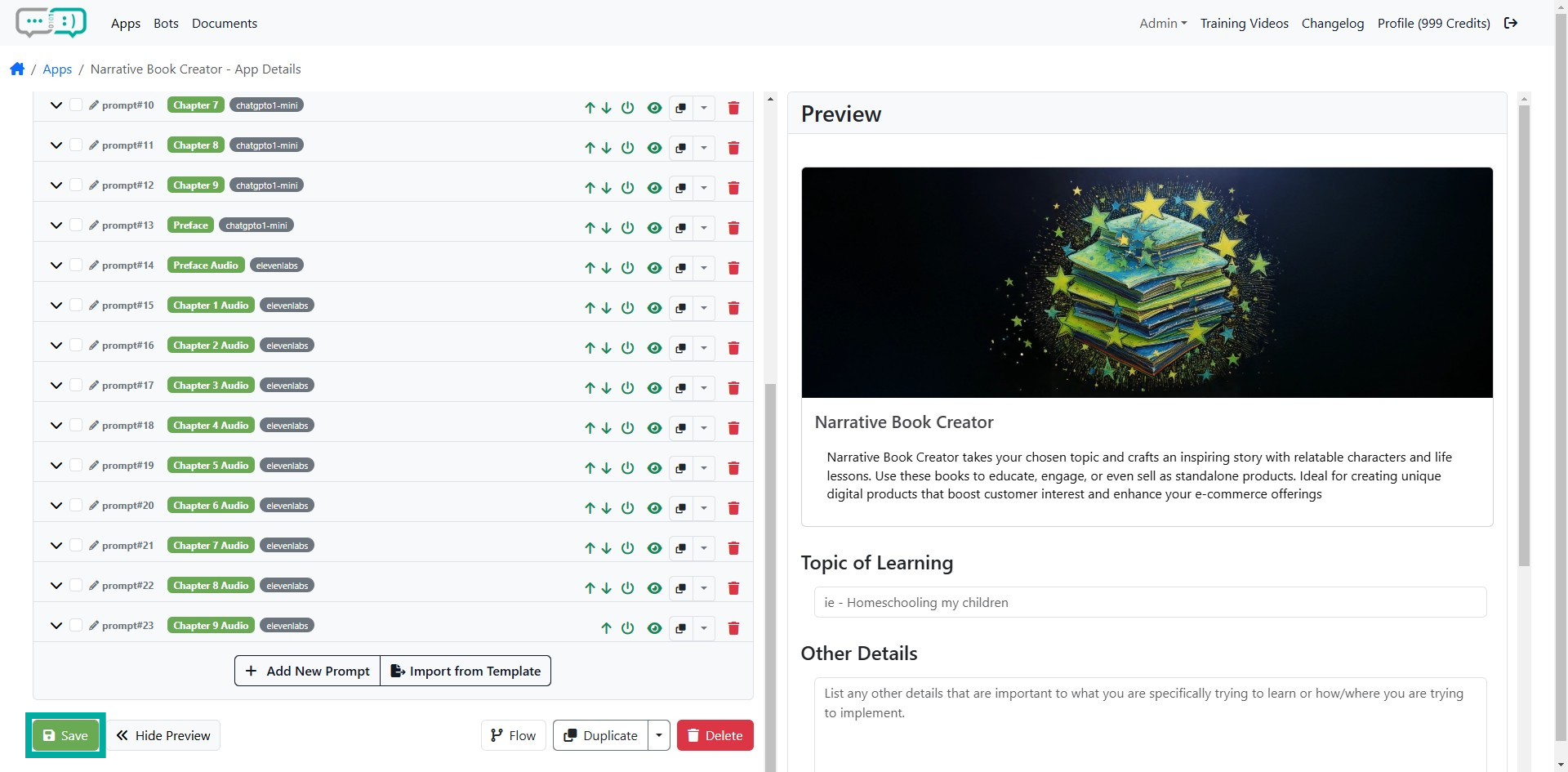


Organize Prompts in Your Preferred Order
Learn how to move and organize your prompts up and down to suit your preferences. Follow these simple steps to manage and rearrange your prompts effectively.
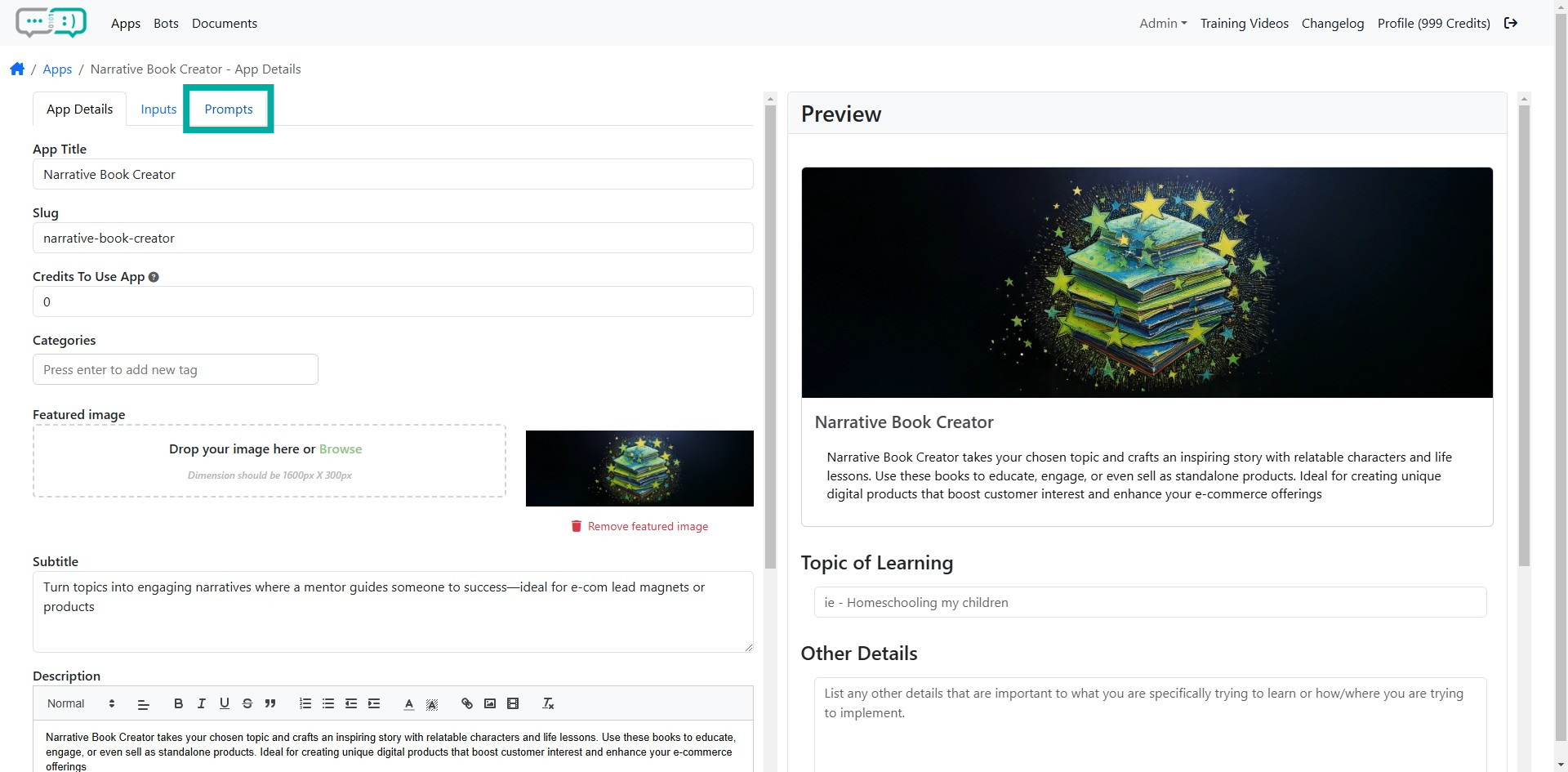
Step 1: Click Prompts tab
Click the 'Prompts' tab in the App Details to access the prompts section of the app.
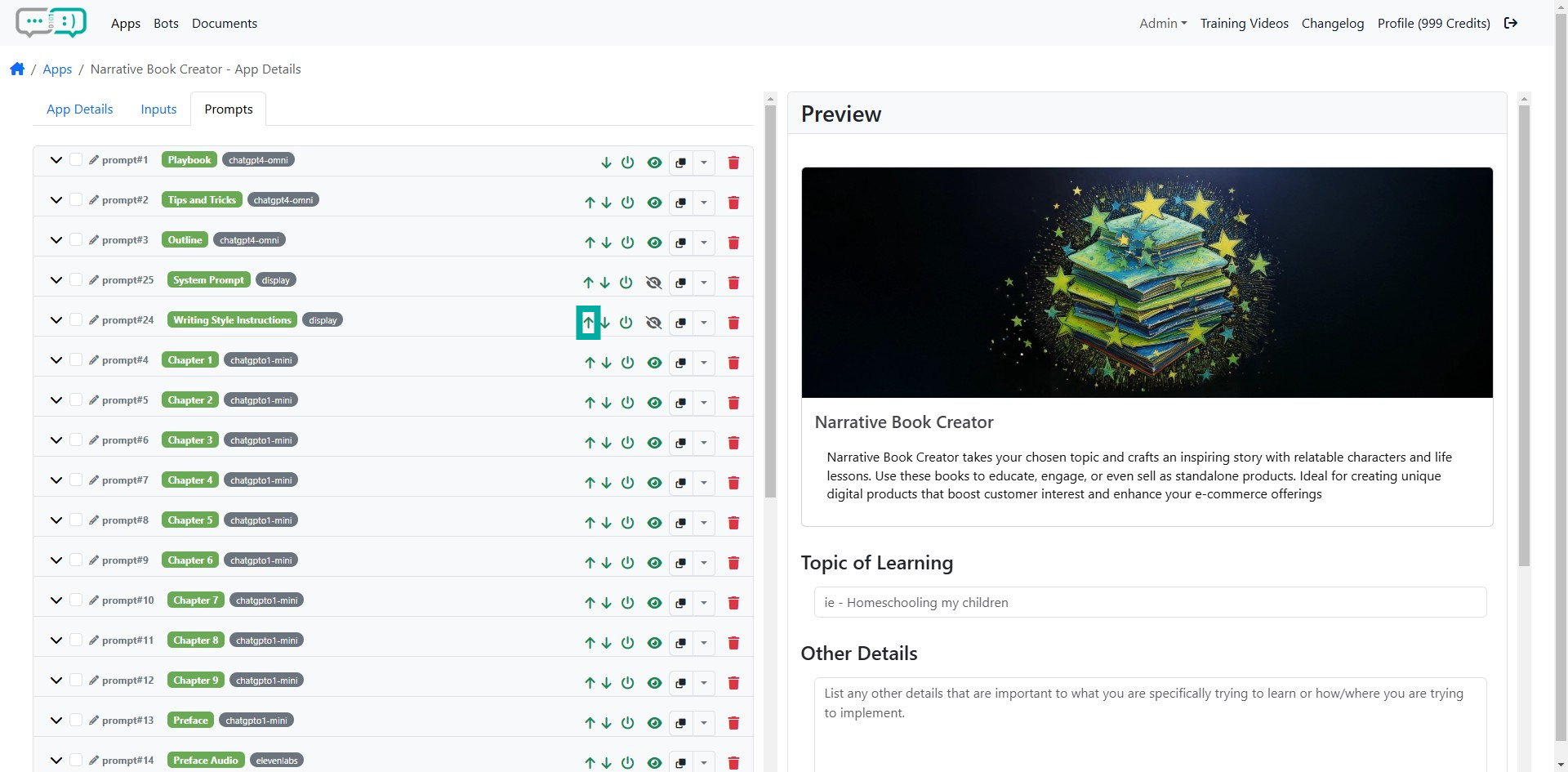
Step 2: Move Prompt Up
From the Prompts area, you can move prompts up by clicking the "up" arrow.
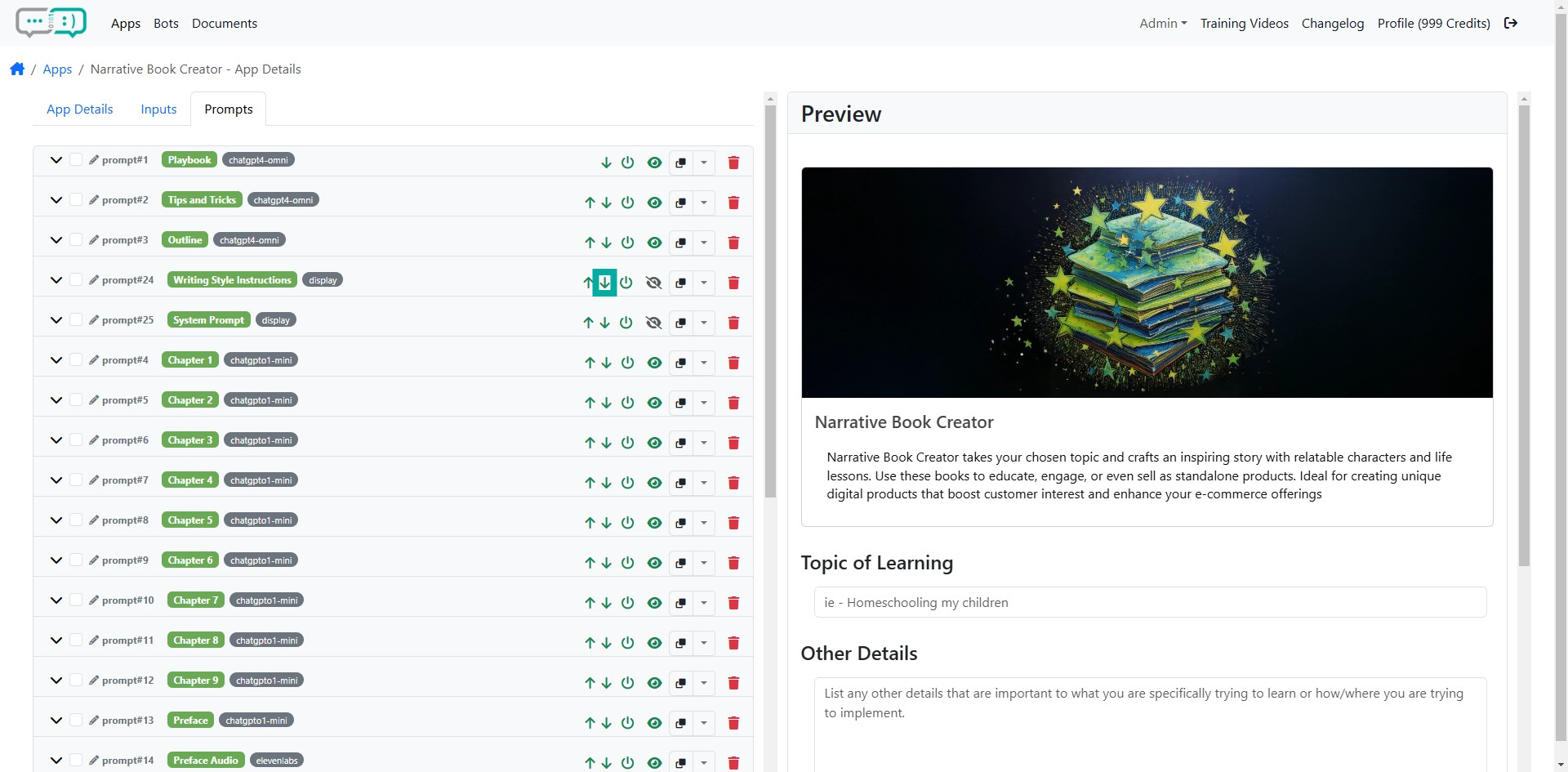
Step 3: Move Prompt Down
Click the "down" arrow to move the prompt down.
Step 4: Save Changes.
Use the provided interface to move prompts up or down according to your preference. Click Save when you're done.